Monday Coffee: Long hours worked

Last week I asked the following question on twitter: –

I had a load of responses from a lot of DBAs out there who have worked some crazy shifts, you can see all the responses here

My personal record is due to a data centre migration. We moved all our physical kit from on-site to a data centre. I racked up 23 hours straight, followed by another 14 hours.

Pretty heavy going but nowhere near some of the responses I had (seriously there were some mammoth shifts in there).

I’m not sure how everyone else feels about these kinds of shifts. They’re definitely not enjoyable when they’re happening but I kind of hold onto mine as a badge of honour. Something that every DBA goes through and it’s one of those experiences that I feel has made me a more seasoned DBA.

Saying that, I don’t want any 20+ hour shifts again any time soon 🙂

Have a good (hopefully not too long) week!

Friday Reading 2017-09-29

Another busy week almost over and today I’m heading to Utrecht for SQL Saturday Holland! Never been to Utrecht before so am going to spend some time exploring 🙂

This week I’ve been reading…

Ask HN: Would you run SQL Server on Linux?
James Anderson (t) asks Hacker News readers if they would run SQL Server on Linux

When deadlocks become art
Matthew McGiffen’s (t) post on some deadlock horrors!

Scheduling powershell tasks with sql agent
Dbatools (t) post on how to setup powershell jobs in the SQL Server Agent (I’ve always found it to be a pain)

Measure Your Docker Containers’ Resources
Nick Janetakis’ (t) post on how to measure resources consumed by your containers

Who is using Docker containers and why?
Kumina infographic on how Docker is being implemented

Announcing the public preview of PowerShell in Azure Cloud Shell
Finally, powershell is available in Azure Cloud Shell

Have a good weekend!

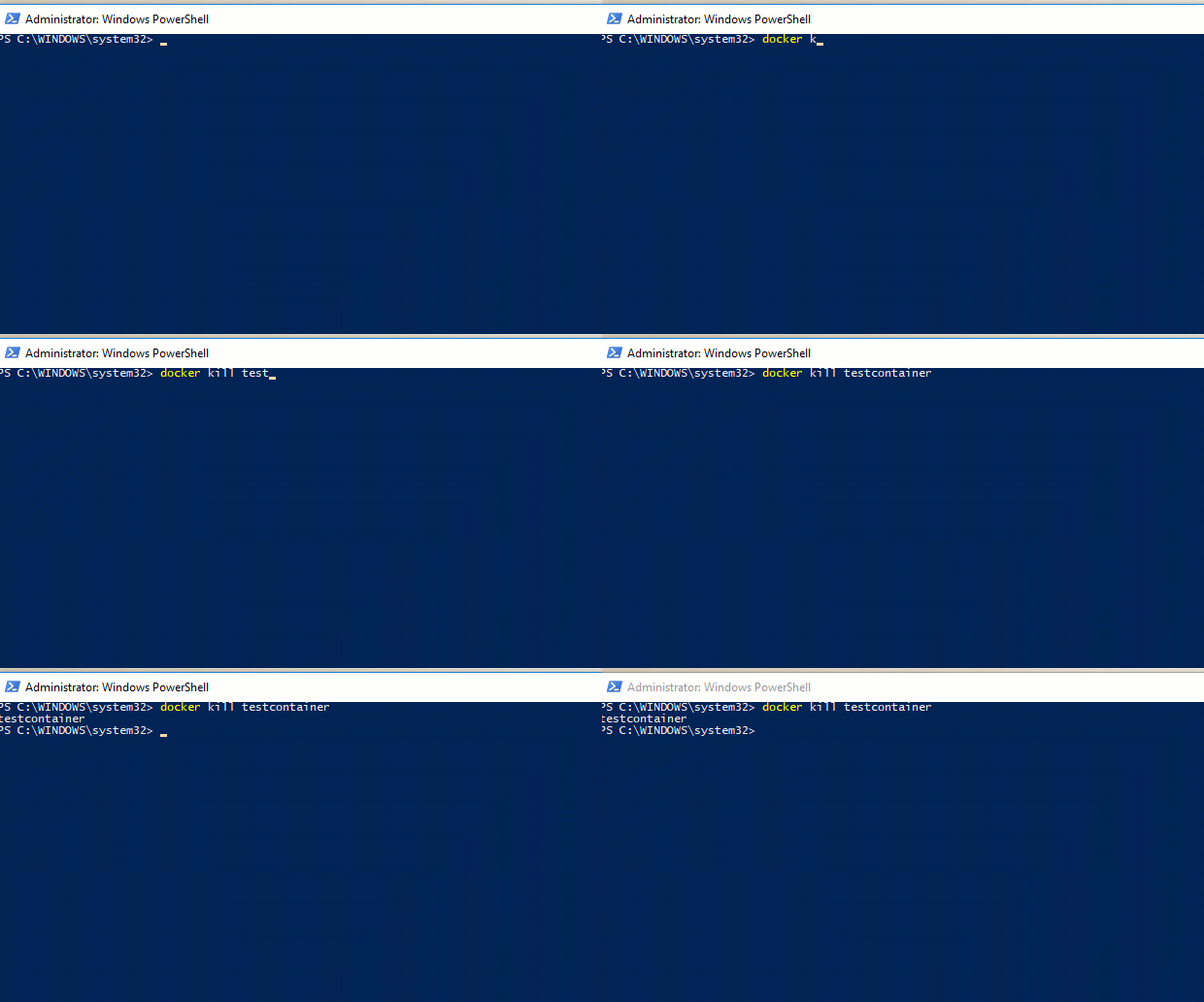
The docker kill command

When running demos and experimenting with containers I always clear down my environment. It’s good practice to leave a clean environment once you’ve finished working.

To do this I blow all my containers away, usually by running the docker stop command.

But there’s a quicker way to stop containers, the docker kill command.

Time the difference for yourself: –

docker run -d -p 15789:1433 --env ACCEPT_EULA=Y --env SA_PASSWORD=Testing11@@ --name testcontainer microsoft/mssql-server-linux

First try the stop command: –

docker stop testcontainer

And then try the kill command: –

docker kill testcontainer

The kill command is pretty much instant right? But what’s the difference?

Well, according to the documentation, the stop command sends a SIGTERM signal to the main process within the container whereas the kill command sends a SIGKILL signal.

There’s a really good article here explaining the differences between the two signals but from what I can gather, the stop command gracefully shuts down the process within the container and the kill command just stops it dead.

Thanks for reading.

An analytical mind

Last week I was reading this article in which a Professor argues that students should be allowed to take smartphones and laptops into exams: –

Professor Mazur urged academics to take the next leap allowing students to use their laptops and phones in exams. He himself encourages students to bring their mobile devices into exams to “look up whatever you want, whenever you want” arguing that in the era of the Google search, students “don’t need to memorize anything.”

Now I don’t completely agree with saying that students don’t need to memorise anything but I do agree with the following statement: –

…he prefers students to be creative and use critical thinking and other analytical skills.

Analytical skills are absolutely critical to any IT professional. The ability to figure out what the problem is, research, and then deploy a solution (with a rollback in mind) is pretty much a cornerstone of what we do.

Ok, I fully admit that “googling” an issue doesn’t appear to be much of a skill but if you think about it, yes it is. Googling follows the same exact analytical procedure I identified above; figuring out the problem, searching for a solution and then identifying the correct one from the results.

However, a certain amount of base knowledge is required for this process. You need knowledge of the systems that you work with in order to identify the solution. Blindly googling and deploying the first solution displayed is a recipe for disaster.

Have a good week!

Monday Coffee: Should I learn powershell?

This month’s T-SQL Tuesday’s topic was set by Rob Sewell (b|t) and entitled Let’s all get PoSH

It had a massive response with loads of people writing about how they use powershell to automate tasks in their day to day work.

(Shameless self promotion – I wrote a post about how to create VMs with powershell, you can check it out here)

It was really cool to see how everyone uses powershell and for me answers the question “Should DBAs be learning powershell?”

Yes, yes you should.

I’d actually go further and say that you need to be learning powershell if you want to get anywhere in your career as a DBA. It’s a tool that in my opinion, every DBA needs. Yes you can get by without it but then you’re limiting your skills.

Here’s some of the posts that should give you an idea of how powershell can help you out: –

Daily database copy using Powershell
Disabling the named pipes protocol for SQL Server using Powershell
Using Invoke-SQLCmd to run SQL Jobs Remotely
Automation Through PowerShell Checking the Status of AGs
Turn on/off Azure VMs with Powershell

That’s a wide ranging area that powershell can help in, right? Pretty much anything you do as a DBA can be run in powershell. If you type something more than once? Hey, guess what!?

So if you’re not working with powershell, I highly recommend that you start looking into it. You’ll find a whole load of cool stuff that you can get into, from basic functions to modules like dbatools

One piece of advice for when you start writing…if it works, it works. Oh, and get your scripts reviewed by someone. It helps in ways you won’t even think of.

Remember that we’re all learning this stuff.

For example, I’d consider myself fairly decent at writing powershell scripts and recently asked a friend of mine to review a script I wrote. Here’s his response: –

Andrew, powershell is a beautiful language and you, are butchering it…

Ouch! 🙂

Thankfully he followed that up with a whole bunch of good tips on how I could improve my code.

But the point is, we’re all learning and there’s a whole bunch of people out there ready to help. So, give it a go and see what you can script.

Have a good week!