I’ve been playing around with SQL Server running in Kubernetes in Azure Container Services (AKS) for a while now and I think that the technology is really cool.
EDIT – Azure Container Services (AKS) has been renamed to Azure Kubernetes Services. Blog title has been updated
You can get a highly available instance of SQL Server up and running with a few lines of code! Ok, there’s a bit of setup to do but once you get that out of the way, you’re good to go.
One thing that has been missing though, is persistent storage. Any changes made to the SQL instance would have been lost if the pod that it was running in failed and was brought back up.
Until now.
I’ve been looking at Kubernetes persistent volumes but was really scratching my head on trying to get it to work. Thankfully Microsoft has now published how to do this: – https://docs.microsoft.com/en-us/sql/linux/tutorial-sql-server-containers-kubernetes
Let’s have a look at how this works. You don’t need to have read any of my previous articles to follow the code here, all you need is an Azure account.
I’m going to run in Bash for Windows but you can install the Azure-Cli for the command line (all the commands are the same). The MSI is available here.
If you are running in Bash for Windows the first thing to do is install Azure-CLI: –
echo "deb [arch=amd64] https://packages.microsoft.com/repos/azure-cli/ wheezy main" | \
     sudo tee /etc/apt/sources.list.d/azure-cli.list

sudo apt-key adv --keyserver packages.microsoft.com --recv-keys 52E16F86FEE04B979B07E28DB02C46DF417A0893
sudo apt-get install apt-transport-https
sudo apt-get update && sudo apt-get install azure-cli

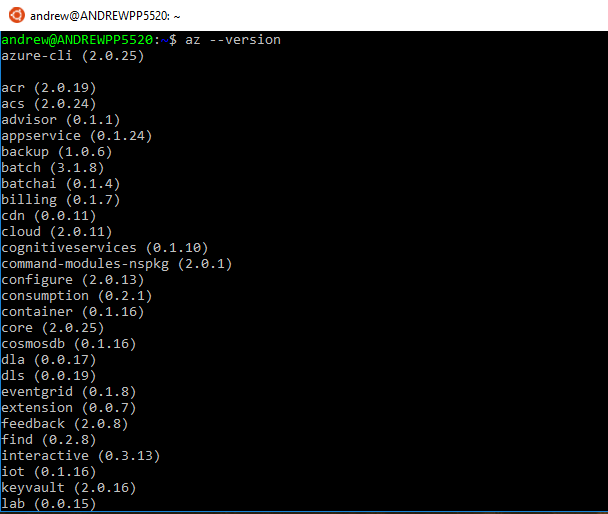
Then whether you’re running in Bash for Windows or the command line, after the install confirm that it has been successful by running:-
az --version
Now log into Azure: –
az login
This is an odd process but hey, it seems to work.
Once the login process is complete, the resource group to hold all the objects of the Kubernetes cluster can be created: –
az group create --name ApResourceGroup1 --location eastus

I created the resource group in eastus because as much as I tried, I kept getting errors when using other locations (e.g. – ukwest)
After the resource group is created, the cluster can be built: –
az aks create --resource-group ApResourceGroup1 --name mySQLK8sCluster --node-count 2 --generate-ssh-keys
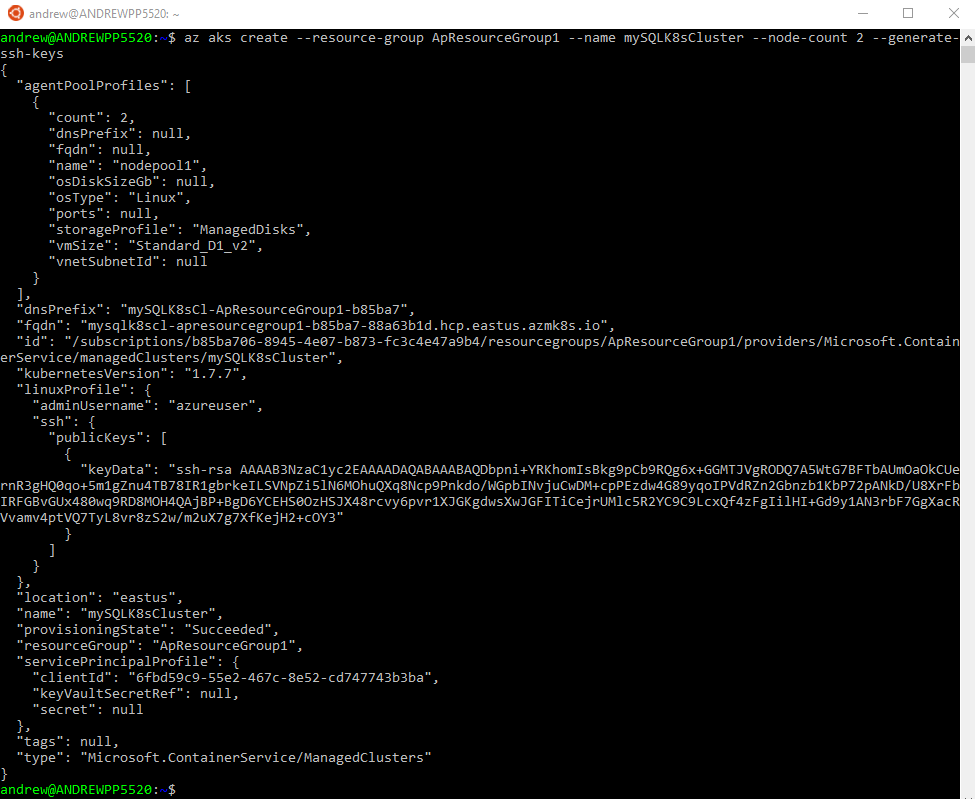
I find it incredibly cool that this can be done with one line of code. Log into Azure and see the amount of resources this one line creates in the background.
Anyway, to manage the cluster, install kubectl: –
az aks install-cli
Grab credentials in order to connect and manage the cluster: –
az aks get-credentials --resource-group=ApResourceGroup1 --name=mySQLK8sCluster
Cool! The cluster is setup and we can connect. This can be tested by running: –
kubectl get nodes

There are the two nodes of the cluster and it is ready to host a sql instance in a pod.
The persistent volume and SQL instance are created by referencing .yml files on the Microsoft page but instead of having to copy/paste I’ve dropped the two files into a Github repo. The only change I’ve made is that the image that used is my custom linux image with the agent installed (as I like to have the agent available).
To clone the repo to your local machine: –
git clone https://github.com/dbafromthecold/SqlAksPersistentVolumes.git
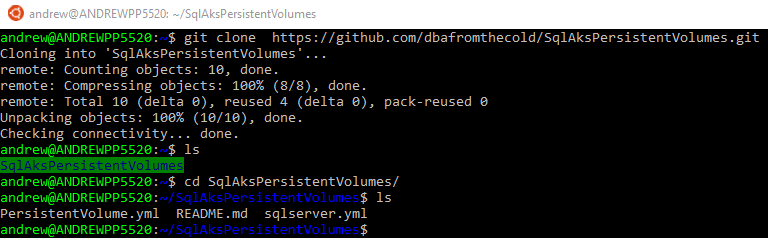
Navigate to the files. The first file we will use is the PersistentVolume.yml file.
kind: StorageClass
apiVersion: storage.k8s.io/v1beta1
metadata:
     name: azure-disk
provisioner: kubernetes.io/azure-disk
parameters:
  storageaccounttype: Standard_LRS
  kind: Managed
---
kind: PersistentVolumeClaim
apiVersion: v1
metadata:
  name: mssql-data
  annotations:
    volume.beta.kubernetes.io/storage-class: azure-disk
spec:
  accessModes:
  - ReadWriteOnce
  resources:
    requests:
      storage: 8Gi
What this does is setup a storage class (as an Azure-Disk) and then specifies a persistent volume claim. It is the persistent volume claim that we will use to attach to the SQL Server instance within the pod.
To create the persistent volume & claim: –
kubectl apply -f PersistentVolume.yml
To confirm the volume and claim have been created: –
kubectl describe pvc mssql-data

kubectl describe pv

Now that the storage is provisioned, the SQL instance can be setup.
But before the SQL instance is created, there’s one more step that needs to be done. Previously when I’ve worked with SQL in AKS I’ve specified the SA password in the .yml file used to create the pod that contains the instance.
This isn’t secure so instead of doing that, let’s create a secret to hold the password: –
kubectl create secret generic mssql --from-literal=SA_PASSWORD="Testing1122"

Great! So here’s the .yml file that will create the instance of SQL: –
apiVersion: apps/v1beta1
kind: Deployment
metadata:
  name: mssql-deployment
spec:
  replicas: 1
  template:
    metadata:
      labels:
        app: mssql
    spec:
      terminationGracePeriodSeconds: 10
      containers:
      - name: mssql
        image: microsoft/mssql-server-linux
        ports:
        - containerPort: 1433
        env:
        - name: ACCEPT_EULA
          value: "Y"
        - name: SA_PASSWORD
          valueFrom:
            secretKeyRef:
              name: mssql
              key: SA_PASSWORD
        volumeMounts:
        - name: mssqldb
          mountPath: /var/opt/mssql
      volumes:
      - name: mssqldb
        persistentVolumeClaim:
          claimName: mssql-data
---
apiVersion: v1
kind: Service
metadata:
  name: mssql-deployment
spec:
  selector:
    app: mssql
  ports:
    - protocol: TCP
      port: 1433
      targetPort: 1433
  type: LoadBalancer
What this does is spin up a pod with our SQL instance running from my custom image dbafromthecold/sqlserverlinuxagent:latest. It then maps the persistent volume claim to /var/opt/mssql to our pod (this is the important step). Finally, creates a service so that we can connect to the instance using the service’s external IP and the password specified in the secret.
To create the SQL pod and service: –
kubectl apply -f sqlserver.yml

Wait a few minutes for the pod to come online. Check this by running: –
kubectl get pods

Once the pod is up and running, check the service for the external IP: –
kubectl get service

The external IP is used to connect to SQL within the cluster: –
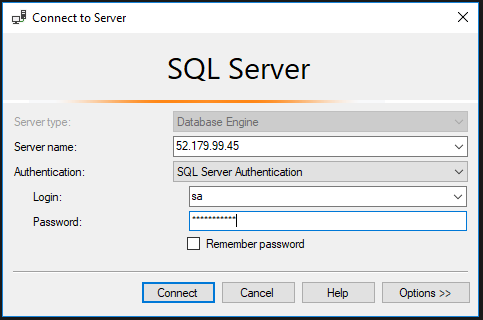
In previous posts I’ve written, HA is provided to the SQL instance by respawning the pod if the current one running fails. However, data within the instance is not persisted (aka any new databases/data will be lost when the pod is respawned).
But now that we have implemented a persistent volume, the SQL instance and its databases should be available in a new pod if there’s a failure.
Let’s test this by creating some databases: –
CREATE DATABASE [DatabaseA];
CREATE DATABASE [DatabaseB];
CREATE DATABASE [DatabaseC];
CREATE DATABASE [DatabaseD];
CREATE DATABASE [DatabaseE];
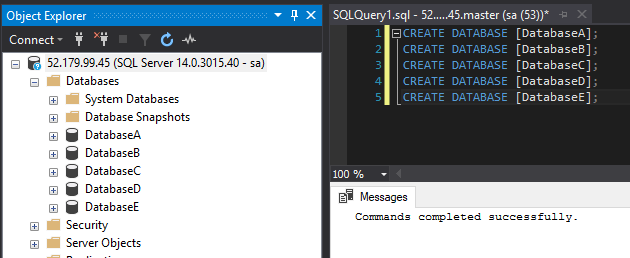
The trick here is that the databases were created using the default settings.
USE [DatabaseA];
GO

EXEC sp_helpfile;
GO
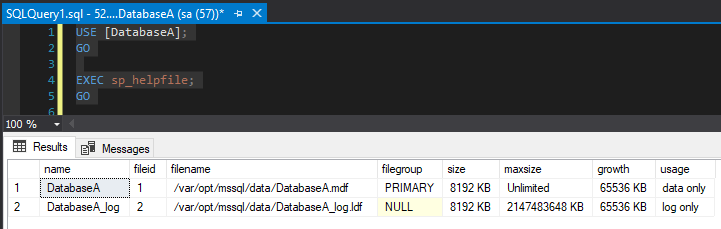
The database files were created in /var/opt/mssql/data which is on the volume that we mapped to the persistent volume claim. This means that if the existing pod fails, the database files will be retained and available in the new pod.
To simulate a failure, manually delete the pod: –
kubectl delete pods --all
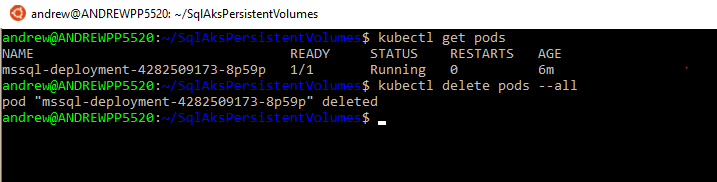
The old pod will be terminated and a new one automatically created: –
kubectl get pods

Once that pod is up and running, reconnect to SQL (using the same external IP of the service).
And the databases are there! The original instance within the pod has been deleted but a new pod running SQL Server and the persistent volume was automatically created!
This means that we can deploy a SQL instance within AKS that can recover from a failure with no data loss. And that, to me, is awesome.
OK, it’s not perfect. It can error out when you’re setting up (ping me if you run into any problems), the new pod takes a little too long to come online, and there’s still no windows authentication but it’s looking pretty promising!
Last thing, to remove all the objects built in this demo you just need to run: –
az group delete --name ApResourceGroup1
Thanks for reading!


