0

Monday Coffee 2017-03-06

Last week Docker announced the availablity of Docker Enterprise Edition. The existing version of Docker that I’ve been using has now been renamed to the Docker Community Edition.

So what does this mean for us Windows people hacking around with Docker on our local Windows 10 boxes? Very little it seems. The Community Edition will have access to the full Docker platform and (if needed) can be added to with paid-for addons from the Docker cloud. I haven’t had a chance to look over all the paid offerings but they seem to be mainly cloud based services, so I doubt I’ll need them (at the moment).

The Enterprise Edition is interesting as it raises the question, is Docker suitable for SQL Server in production environments? Now, I’m a big fan of Docker and have been using it extensively in my dev/test environments but I’m still not sure about production.

If you think about the advantages running SQL Server in containers brings; simple to setup, quick to deploy; are they relevant to production? I want to spend time setting up my 24/7 critical SQL Server instance, speed of build doesn’t really matter.

There may be other advantages that Docker Enterprise Edition brings so I’m definitely going to check it out but there’ll have to be something pretty good in there to convince me SQL Server containers are for production.

Have a good week!

0

Friday Reading 2017-03-03

Fun week, lot’s of things going on and throughout I’ve been reading…

Windows Server Premium Assurance and SQL Server Premium Assurance
Microsoft announce Premium Assurance, an additional six years of support

SQL VNext sp_configure on Windows and Linux with dbatools
Rob explores the SpConfigure commands in dbatools in SQL instances running on Windows and Linux

William Durkin – My first MVP Award
William Durkin thanks those who have helped him along the way to becoming a Data Platform MVP. Congrats William!

SQL Browser, what is it good for? Absolutely something!
Chris Sommer goes through what the SQL Browser service actually does

Announcing Docker Enterprise Edition
Docker have release a new version for business-critical deployments

Have a good weekend!

2

A GUI for Docker Container Administration

I’ve been working with containers for a while now and one of the questions that always gets asked when I demo the technology to people is, is there a graphical user interface out there that can be used to manage containers?

Now, I’m happy with working on the command line and in many ways, I prefer it. But everyone has different preferences so I went out and had a look to see what’s available. It didn’t take me long to run into Portainer who have built exactly what I was looking for. A management UI for Docker.

So let’s run through the setup and then look at the system. There’s a couple of pre-requisities to this I’m afraid, the first one is that you must setup remote administration using TLS on the Docker host that you want to manage via Portainer. I’ve detailed how to do this here.

Also, Portainer doesn’t support managing a local Docker Engine running on Windows so the way I’ve set it up is to run Portainer locally on Windows 10 and then point it at a server running the Docker Engine I want to manage. This means that you’ll need to install Docker locally, you can do that here.

EDIT: Anthony Lapenna (t) has let me know that you can run Portainer outside of docker, so you don’t need to have the engine running on your Windows 10 machine if you don’t want to. Instructions are here (at the bottom of the page).

Ok, so once you’ve got Docker running locally, run the following to see the Portainer image in the Docker Hub: –

docker search portainer
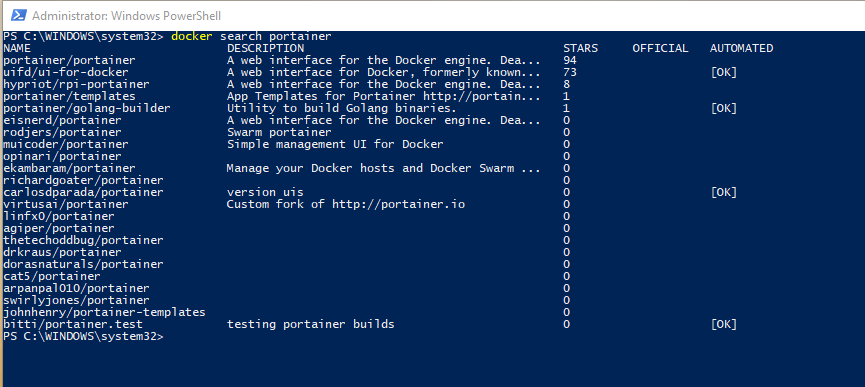
dockersearchportainer

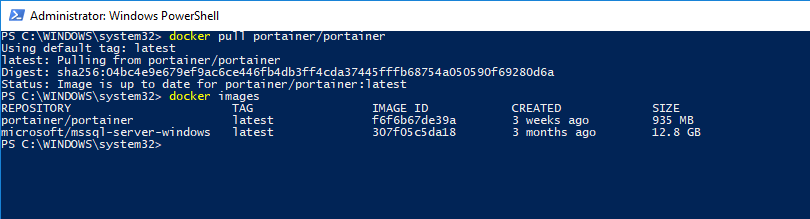
There’s the image that we need at the top, so pull that image down to your local repository: –

docker pull portainer/portainer
dockerpullportainer

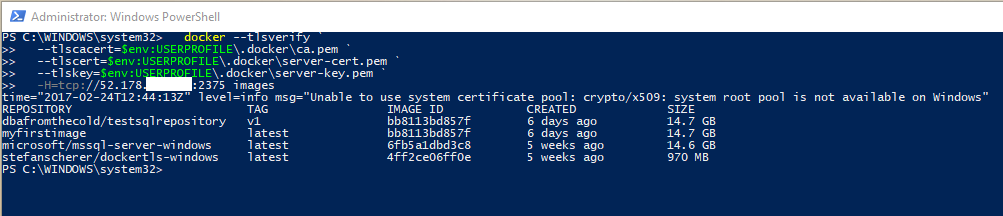
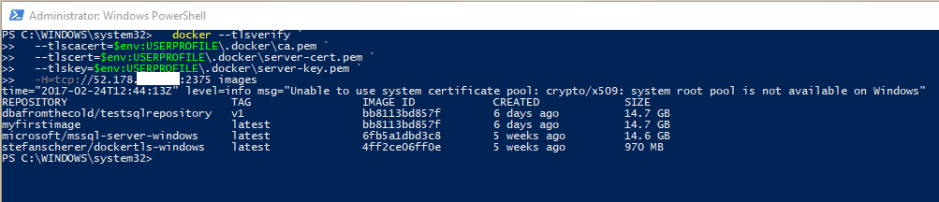
Once the image is down, verify that you can connect to the Docker Engine on the remote server from a powershell window on your local machine: –

docker --tlsverify `
  --tlscacert=$env:USERPROFILE\.docker\ca.pem `
  --tlscert=$env:USERPROFILE\.docker\server-cert.pem `
  --tlskey=$env:USERPROFILE\.docker\server-key.pem `
  -H=tcp://XX.XX.XX.XX:2375 images

What I’ve done here is copy the TLS certs generated on the server to my local machine and reference them via $env:USERPROFILE. Full details on setting this up is here.

Also, ignore the warning “Unable to use system certificate pool: crypto/x509: system root pool is not available on Windows“. Apparently it’s benign

If everything is working you should see the same output as running docker images on the server: –
dockerconnectremotely

OK, next step is to copy the certs into your C:\temp folder as the following script will copy them from that location into the container running Portainer. This is needed so that Portainer can connect to the Docker Engine running on the server.

copy-item $env:USERPROFILE\.docker\ca.pem C:\Temp
copy-item $env:USERPROFILE\.docker\server-cert.pem C:\Temp
copy-item $env:USERPROFILE\.docker\server-key.pem C:\Temp

Now we can create and run our Portainer container!

docker run -d -p 9000:9000 --name portainer1 -vC:/temp:C:/temp portainer/portainer -H tcp://XX.XX.XX.XX:2375 --tlsverify --tlscacert=C:/temp\ca.pem --tlscert=C:/temp\server-cert.pem --tlskey=C:/temp\server-key.pem

dockerrunportainer2

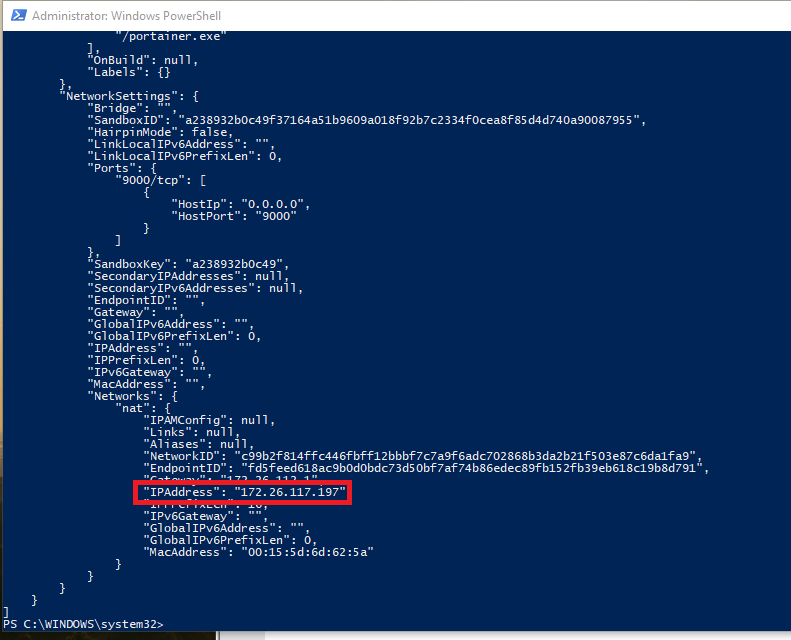
Once you’ve verified that the container is up and running you need to grab the private IP assigned to it: –

docker inspect portainer1
dockerinspectportainer

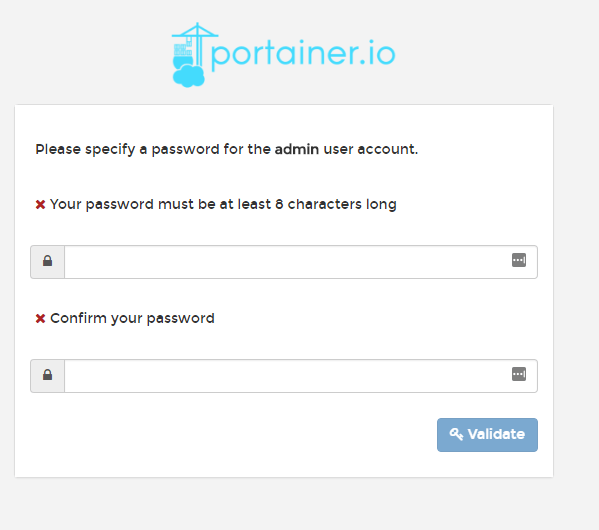
So the private IP address assigned to the container I’ve built is 172.26.17.197 so I’ll enter http://172.26.17.197:9000 into my web browser. If all has gone well you should see: –
portainersetpassword

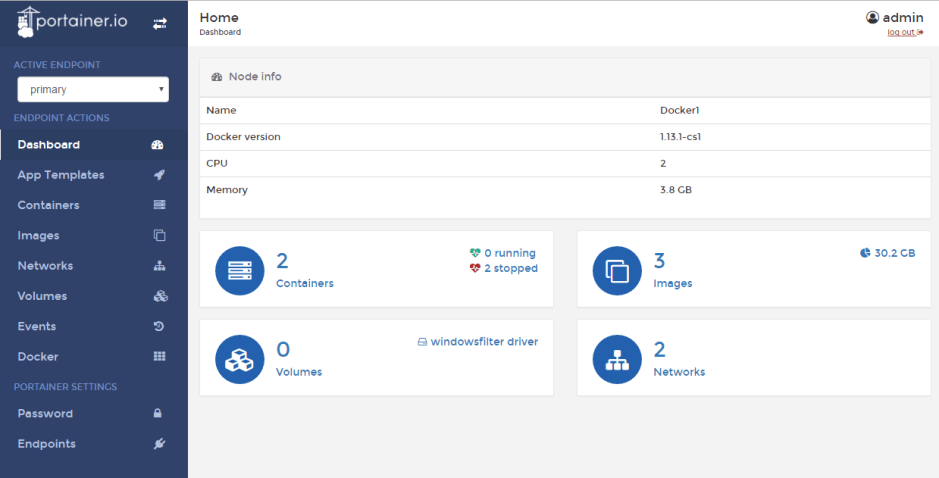
Specify a password and then login. You will then see the Portainer dashboard:-
portainerdashboard

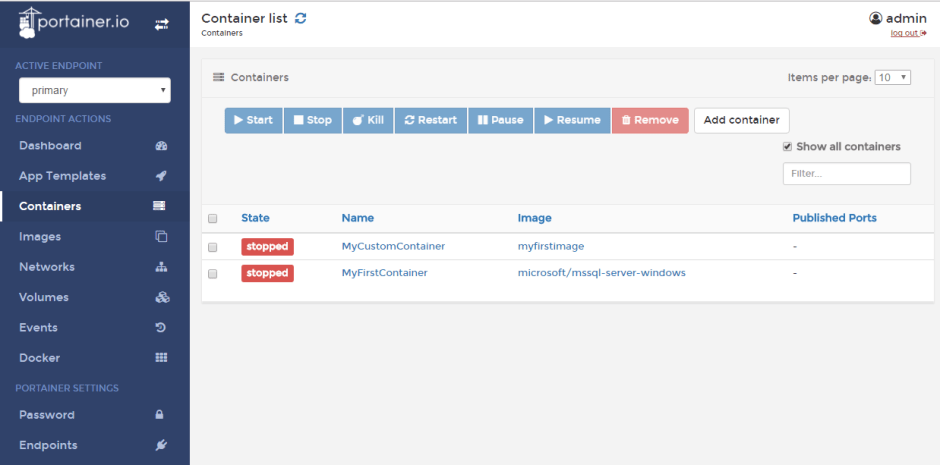
Viewing Containers: –

viewingcontainers

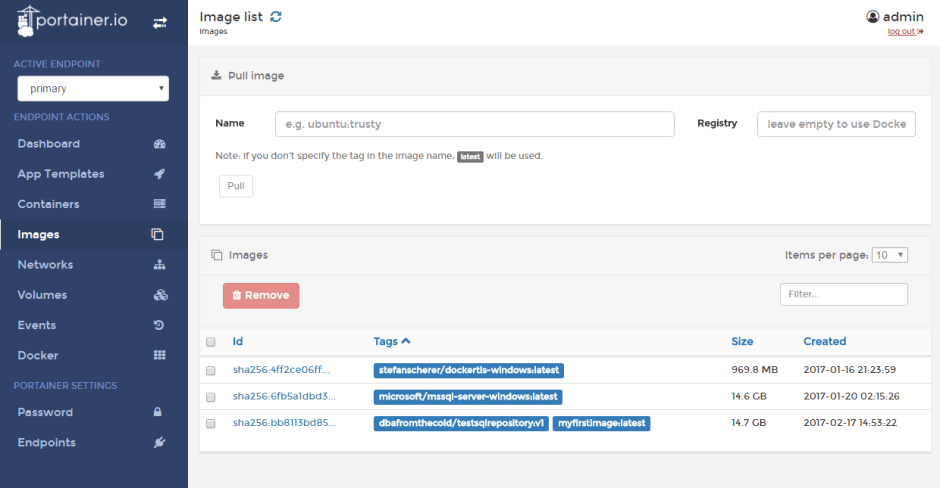
Viewing Images: –

viewingimages

It’s a pretty cool UI. Not only can you start/stop existing containers, you can pull new images down. I know it’s a bit fiddly to setup but if you can do this and hand it off to your users (don’t run it on your desktop though)…how much are they going to love you? 🙂

Thanks for reading!

0

Monday Coffee 2017-02-27

Ergh, not a fun weekend rugby wise. But anyway…

Last week Microsoft released an image for SQL Server 2016 SP1 Developer Edition in containers. Previously the only edition available was vNext Enterprise Evaluation which was a real problem in making containers a viable option for many businesses.

There’s no point in having a development environment referencing a SQL instance that is not the same version as production. How many people would be running vNext in production? I bet there’s a few (mad) early adopters out there but in the main, I would say most businesses would be running 2016, 2014 or 2012.

Having this image available means that developers/DBAs can now seriously look at containers as an option when building development environments. Need to build an environment quickly? That’s what containers give you. I’d love to see this technology become widely used in the SQL Server world. I’ve been working with them for over a year now and being able to spin up a new instance of SQL Server in seconds is really cool.

It does beg the question are Microsoft going to release images for other, earlier versions of SQL Server? I’m honestly not sure that they will but if they want containers to become more widespread that would be the way to do it. We’ll see what happens but even if they don’t there are other options out there.

Have a good week!

0

Friday Reading 2017-02-24

Wow that week absolutely flew by! Here’s what I’ve been reading…

Seatbelt learning with Uncle Buck
Buck Woody goes through how he learns on the move (great article)

Hardware selection for a home lab – Part 1
Glen Berry goes through using the Intel NUC series for a home lab environment

DevOps – A DBA’s Perspective
Paul Ibison gives his views on what DevOps means from a DBA perspective

Lots of Learning at SQL Bits
Steve Jones talks about why SQLBits is his favourite SQL event

NASA Telescope Reveals Largest Batch of Earth-Size, Habitable-Zone Planets Around Single Star
This is seriously cool

Have a good weekend!